Using the Page Editor, you can quickly add job listings, include details such as responsibilities, qualifications, and application instructions, and customise the layout to match your site’s design. You can also manage and update positions easily, ensuring your careers page remains current and professional.
Follow the steps below to learn how to add and customise Careers or Job Positions effectively on your pages.
Finding Settings
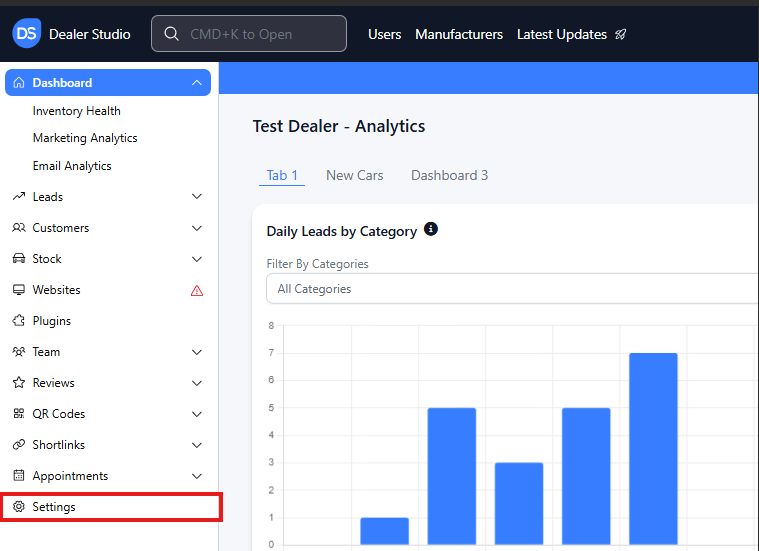
Step 1: On the Dealership Dashboard, Settings on the Bottom Left menu
Adding the Job Positions
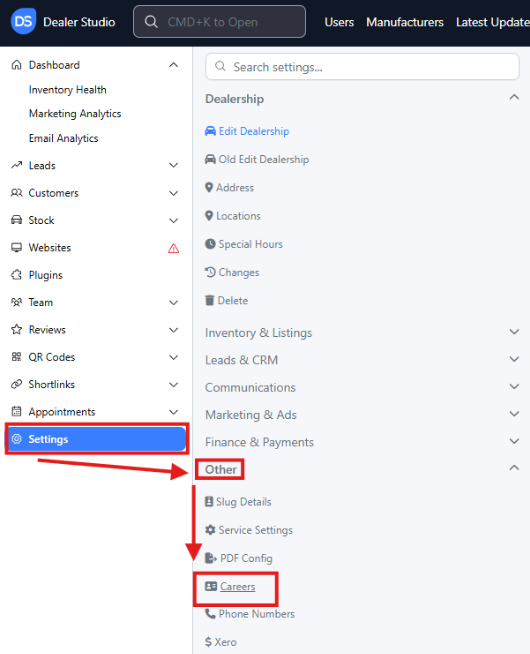
Step 1: In Settings Select Other then Careers
Step 2: Click the top right button- ' + Career '

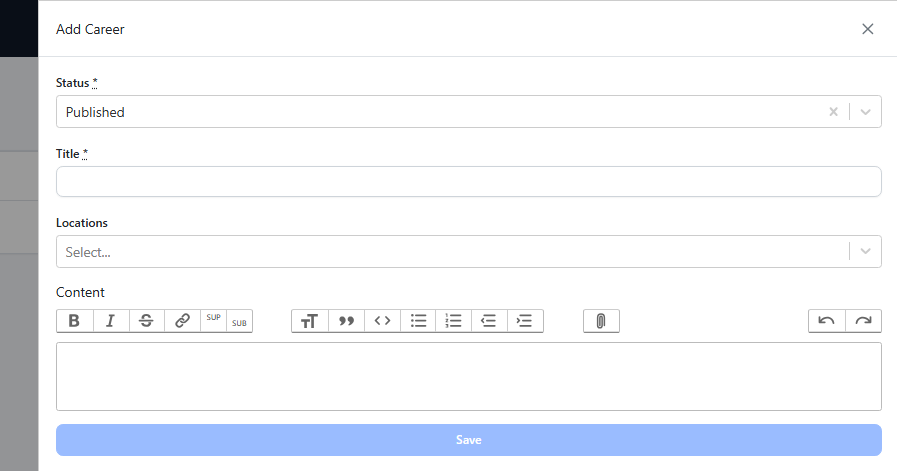
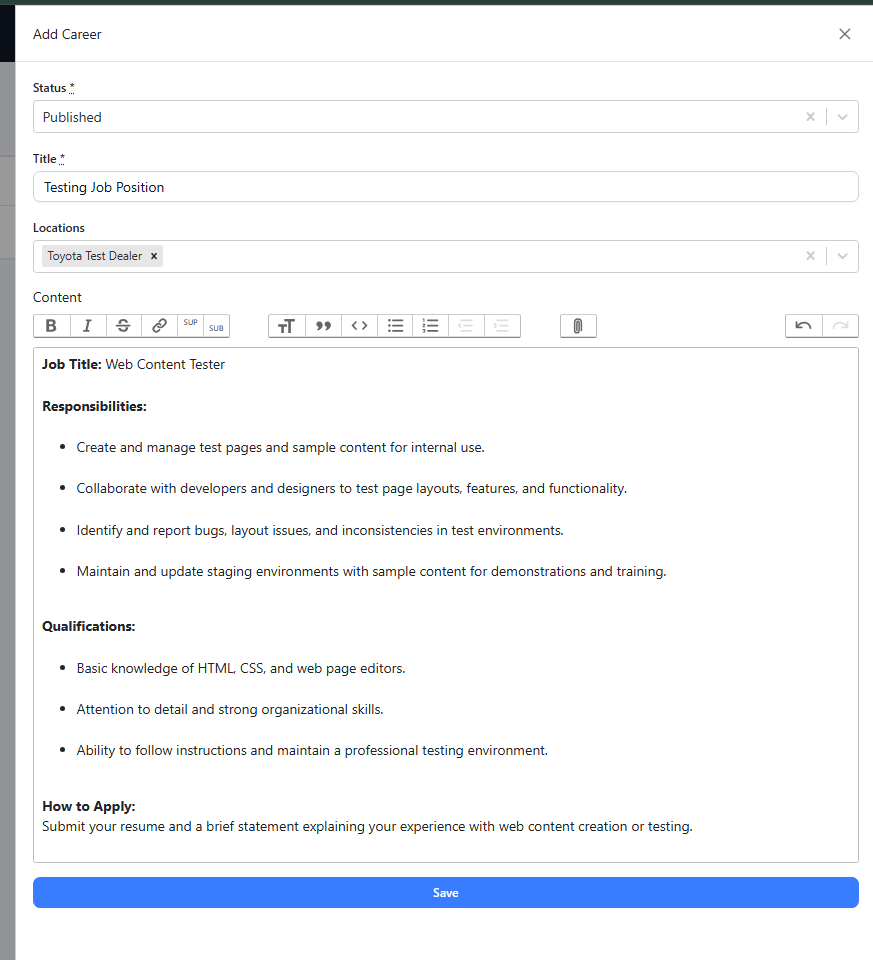
Step 3: You will see this section pop open
Fill it out with the applicable information
Step 4: Refresh your Careers Page live on Client-side
**Please see video for Clarity: **
https://res.cloudinary.com/total-dealer/video/upload/v1763348831/Job_Additions_b8fl1j.mkv